Tidy text, no manual required
Tschichold — online typography fixer

Paste your text and Tschichold puts everything in its place: hyphens become dashes, straight quotes turn curly, ellipses and non-breaking spaces appear where they belong. Free, in seven languages, over a hundred rules and not a single extra screw. Your text never leaves your browser.
Typography rules for seven languages
Every language has its own habits. Tschichold figures out which language each paragraph is in, and you decide what to switch on. The result above updates instantly, and your settings are saved in this browser.
Loading rules…
Typography extension for Chrome
Typography in your browser: Tschichold moves in
No more carrying text back and forth. The extension lives in your browser and tidies up right where you write: social networks, email, CMS, messengers and Google Sheets. Same rules, with the change history at hand.
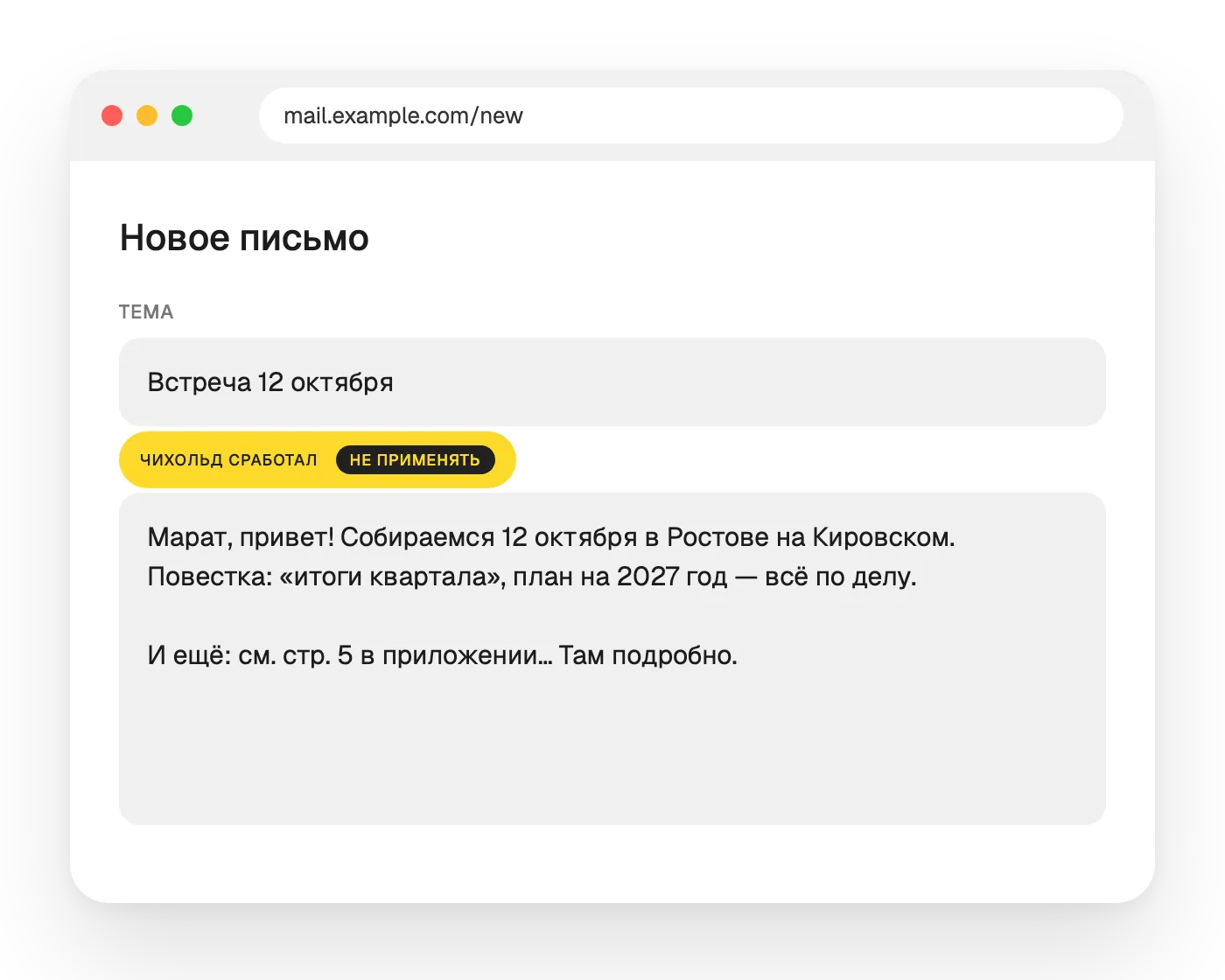
How to run it
Automatically
Click Tschichold’s portrait and he tidies up on his own when you leave a field or send a message with Enter.
Right-click
Right-click a field → “Typograph text”. Works even when auto mode is off.
Keyboard shortcut
Press ⌘⇧' in a field and you’re done. In Google Docs and rich-text fields, select the text first.
What’s inside the extension
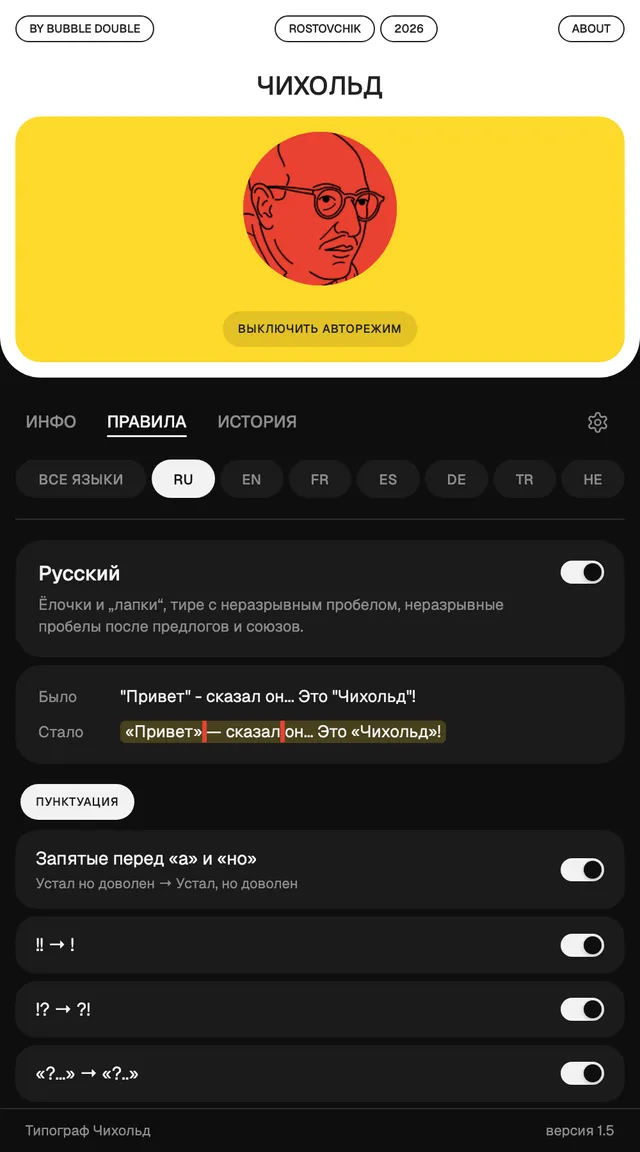
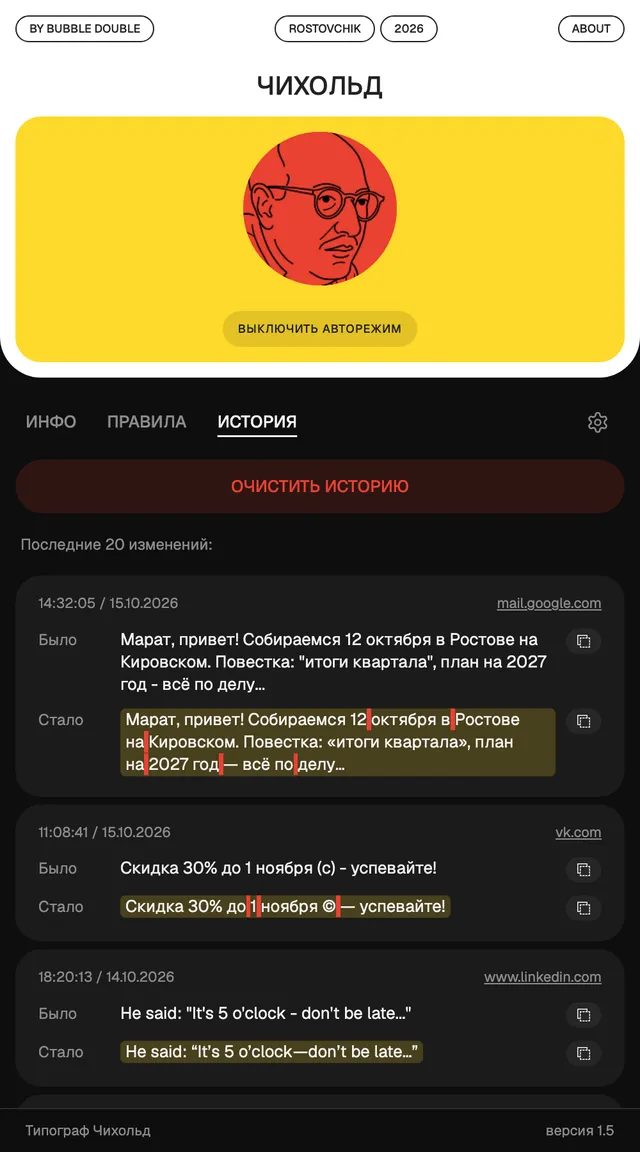
Settings and history are stored only in your browser. We collect nothing.
Add Tschichold to ChromeText typography: FAQ
What is a typography fixer?
It’s a helper that tidies text up by the rules of typography: it turns straight quotes into curly ones, a hyphen between words into a dash, three dots into an ellipsis, and adds non-breaking spaces. As if a typesetter had worked on your text, only faster.
What’s the difference between a hyphen and a dash?
A hyphen (-) is short and lives inside words: well-known, mother-in-law. An em dash (—) is longer and separates parts of a sentence — in American style without spaces, in British style an en dash with spaces – like this. In number ranges you use an en dash without spaces: 1990–2000.
Which quotation marks are correct?
In English, curly quotes: “double” outside and ‘single’ for a quote inside a quote. Straight quotes "…" are a leftover from typewriters. Other languages have their own: guillemets « » in Russian and French, „low-high“ quotes in German.
What is a non-breaking space and why do you need it?
It’s a space that holds words together and keeps a line from breaking in an awkward place: a number stays with its unit, a title stays with the name, as in 5 km or Mr. Smith. On this page such spaces are highlighted in red, and the highlight disappears when you copy.
How do I type an em dash on a keyboard?
On Windows: Alt+0151 on the numeric keypad (en dash: Alt+0150). On a Mac: Option+Shift+minus, en dash: Option+minus. Easier still, paste the text into the fixer and it will replace hyphens with dashes for you.
How do I type curly quotes?
On Windows: Alt+0147 and Alt+0148 for “ ”, Alt+0145 and Alt+0146 for ‘ ’. On a Mac: Option+[ and Option+Shift+[ for “ ”, Option+] and Option+Shift+] for ‘ ’. Or let the fixer set all the quotes in your text at once.
How do I type a non-breaking space?
On Windows: Alt+0160 on the numeric keypad, in Word: Ctrl+Shift+Space. On a Mac: Option+Space. The fixer adds non-breaking spaces on its own: between a number and its unit, after titles and in abbreviations.
Is it free?
Yes, the online typography fixer on this page is free and needs no sign-up. Your text is not sent to a server — everything happens in your browser.
Can I fix typography right on websites?
Yes, that’s what the Tschichold extension is for. It works in any text field: social networks, email, CMS, messengers and Google Sheets. Automatically, via right-click or with the ⌘⇧' shortcut.
What powers Tschichold?
Tschichold is built on typograf, an open-source library by Denis Seleznev (version 7.6.0). It handles the typography rules, while Tschichold adds per-paragraph language detection, its own rules for seven languages, settings and the browser extension. The library is distributed under the MIT license, which allows you to freely use, modify and distribute the code as long as the copyright notice is kept — and it is kept in the library file. Thanks to Denis Seleznev and everyone who contributed to typograf: without their years of work Tschichold wouldn’t exist.
Where does my text go?
Nowhere — it stays home. Both this page and the extension run in your browser, and your rule settings are stored there too.
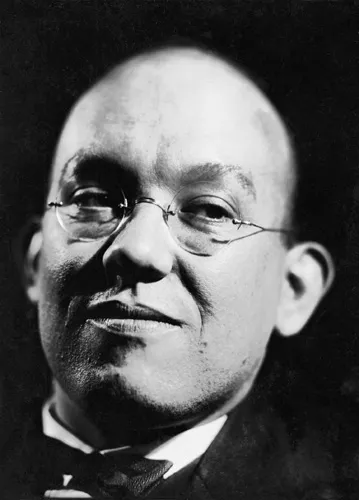
Jan Tschichold, 1902–1974
Why Tschichold?
We named our typographer after the man who first understood that good typography isn’t talent — it’s rules you follow every day.
- 1902 · Leipzig
A sign painter’s son
Jan Tschichold was born into the family of a sign painter. From childhood letters were a craft to him: you draw them by hand, and they have to be legible from afar. And Leipzig was then the capital of German publishing — there was no better place to start.
- 1928 · “The New Typography”
A rebel’s manifesto
At 26 he published a manifesto: asymmetry instead of a central axis, sans serif instead of roman type, function instead of ornament. No caveats, no half-tones. The book became a textbook for a whole generation of designers.
- 1933 · Basel
The courage to change his mind
After the Nazis came to power, Tschichold was arrested for “cultural Bolshevism”, and the family fled to Switzerland. There he did something rare: he publicly argued with his own manifesto. The “sans serif only” dogma now looked to him like the same intolerance he had fled. He returned to roman type and symmetry — this time for legibility, not fashion.
- 1947–1949 · Penguin Books
Rules instead of taste
He was asked to make cheap paperbacks beautiful. Tschichold redrew the penguin, checked the layout of some five hundred books and wrote the Penguin Composition Rules — four pages of instructions for typesetters: narrow, even spaces, neat dashes and quotes. You can argue about “beautiful”. Rules are simply followed.
- 1967 · Sabon
A typeface that lives on
Inspired by the types of Claude Garamond, he drew the roman typeface Sabon. Half a century later you can still find it in books.
Typesetters are gone: everyone is their own typesetter now — in email, social media and admin panels. So Tschichold’s rules are now followed by a machine — this page and the extension.